Stop shipping air and reduce the number of containers needed.
3D Container Load Calculator for Realistic Load Planning
Plan how goods fit inside your shipping containers before they are physically loaded. A 3D container load calculator arranges cargo within the container, helping you use every available inch of space and avoid underutilized capacity. Our online container calculator transforms shipment data into a precise 3D load layout, showing exactly how items fit inside a 20 ft. or 40 ft. container so you can optimize space, reduce transportation costs, and prevent last-minute adjustments during loading.
Loading the form, please wait.
Maximize space efficiency
Interactive 3D visualization
Rotate, zoom, and explore your exact load plan before it arrives at the dock.
Save time
Replace manual load planning with instant automated load optimization.
Clear execution plans
Generate step-by-step reports to guide warehouse staff and prevent reloading.
3D Container Load Calculator for Accurate Load Simulation
Your current system may calculate volumes and define what needs to be shipped, but it doesn’t show how those items physically fit inside the container. Even with accurate calculations, varied dimensions and handling constraints can lead to unused space or last-minute adjustments during loading.
EasyCargo integrates into your workflow as a 3D container load calculator, simulating the loading process in an interactive 3D environment.
Simply input dimensions, define multi-stop shipment groups, apply handling constraints such as non-stackable or non-tiltable items, and pick your cargo space. The system calculates the most space-efficient and weight-balanced configuration instantly, displaying real-time payload and volume usage, so you can make informed loading decisions.
As a container calculator online, it bridges the gap between planning and physical execution.
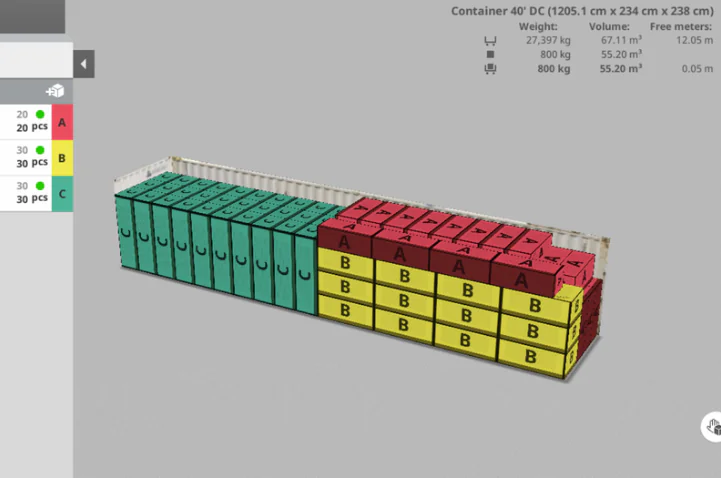
How Our Online Container Calculator Boosts Efficiency
Our 3D container load calculator optimizes cargo space inside standard shipping containers while also supporting trailers and truck configurations used worldwide. You can select the exact type of cargo space you’re loading—whether it’s a 20 ft. or 40 ft. container, a regional trailer, or a North American truck setup—so the plan reflects the actual cargo space being loaded.
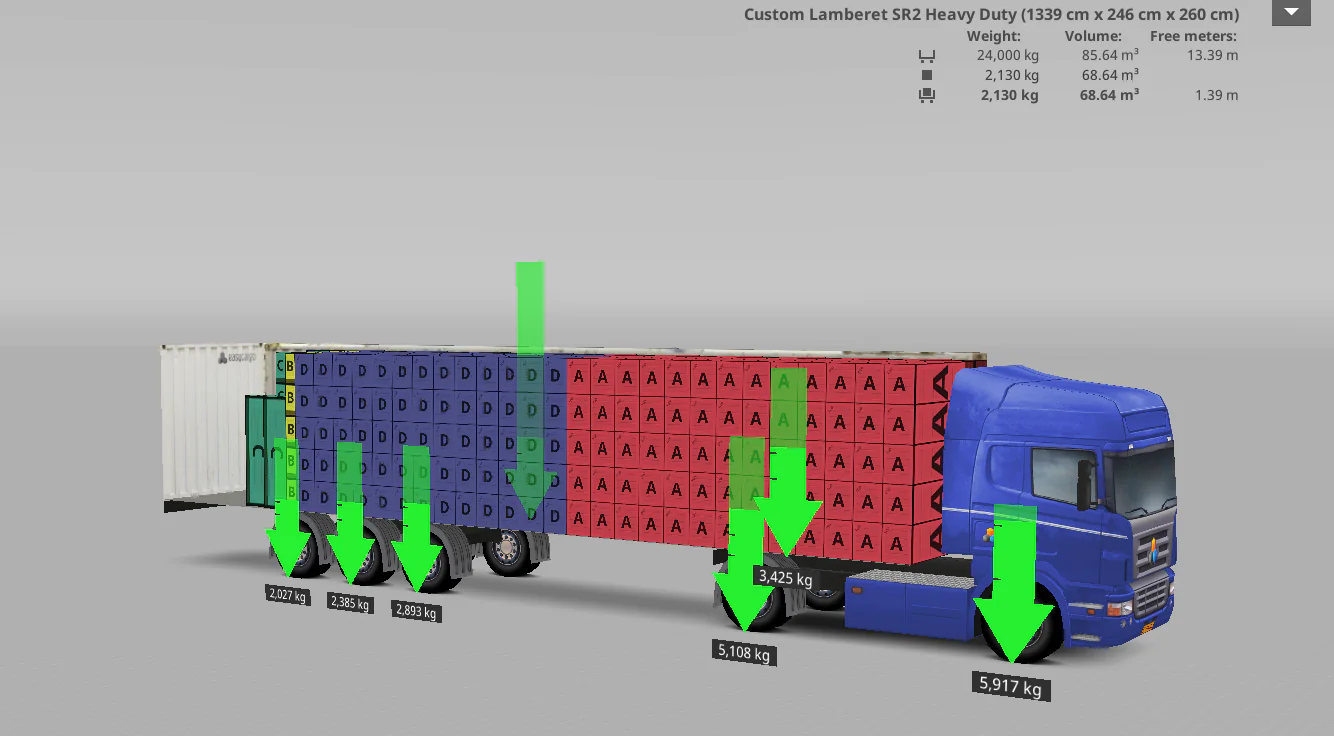
Import thousands of items via Excel or API and replace hours of manual planning with automated load calculation. The online container calculator verifies weight limits automatically, clearly flags overweight conditions, and lets you analyze load distribution from all sides to prevent imbalance and axle overload.
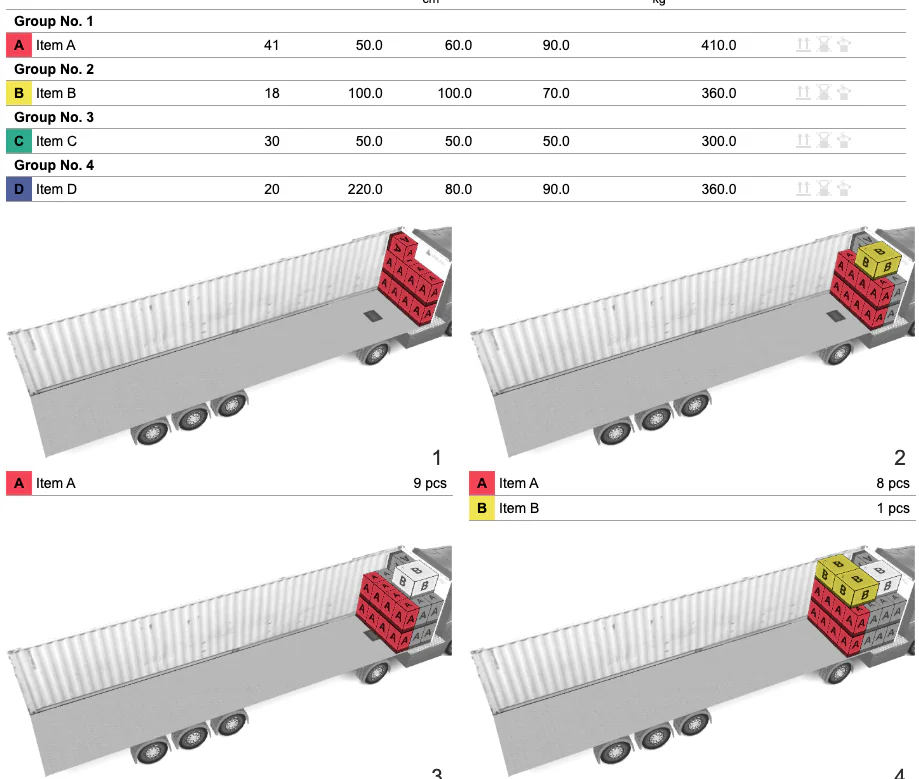
From Screen to Dock: Executable Load Plans
A load plan only works if it can be followed on the dock. Our 3D container load calculator generates step-by-step loading instructions with clear 3D visuals, showing exactly where each item should be placed and in what order.
Warehouse teams can click through each loading step directly in the 3D viewer. With every step, the system highlights which items to load and where they belong inside the cargo space.
You can also print or share the report digitally, so the physical load matches the planned configuration, reducing unloading and on-site corrections.


EasyCargo in Numbers
2,500+
companies worldwide
rely on EasyCargo to plan accurate and compliant load weights
100%
real-time validation
of weight limits, volume, and axle load distribution
360°
load visibility
with clear insight into weight, balance, and how each item fits
Trusted by Companies Worldwide