Enter your cargo items and see the total weight, the volume, and the weight-limit status immediately.
Advanced Load Weight Calculator With Real-Time 3D Visualization
See the total weight of your cargo, check safe loading limits, and visualize how your goods fit inside any truck or container.
EasyCargo gives you instant weight calculations plus a full 3D load plan, all in your browser, with no installation or credit card required.
Loading the form, please wait.
Instant results
Accurate and safe
Check remaining payload, used percentages, overweight warnings, and safe-load limits.
3D load visualization
See exactly how your cargo fits, including placement, color-coding, and box-by-box loading order.
Axle load visibility
View axle loads from the side, top, or back to support a safer, more balanced loading.
Cost and compliance-friendly
Avoid overweight fines and reduce transport costs by making better use of your permitted payload.
How to calculate a load’s weight with EasyCargo
Looking for a simple way to calculate the weight of your load with a reliable load weight calculator?
Here’s what EasyCargo shows you as soon as you enter your cargo dimensions and weights:
- Total cargo weight and volume
- Maximum payload and volume of your selected truck or container
- Percentage of weight used
- Percentage of volume used
- Safe-load weight (how much cargo can be loaded without exceeding limits)
- Overweight conditions are shown clearly in red
- How many items fit, and how many don’t
The 3D view is fully interactive and color-coded, so you can easily distinguish cargo types, shipments, or priority groups. You can also click through the loading process, box by box.
Because the load plan is online and updates in real time, sharing it with your team is simple.
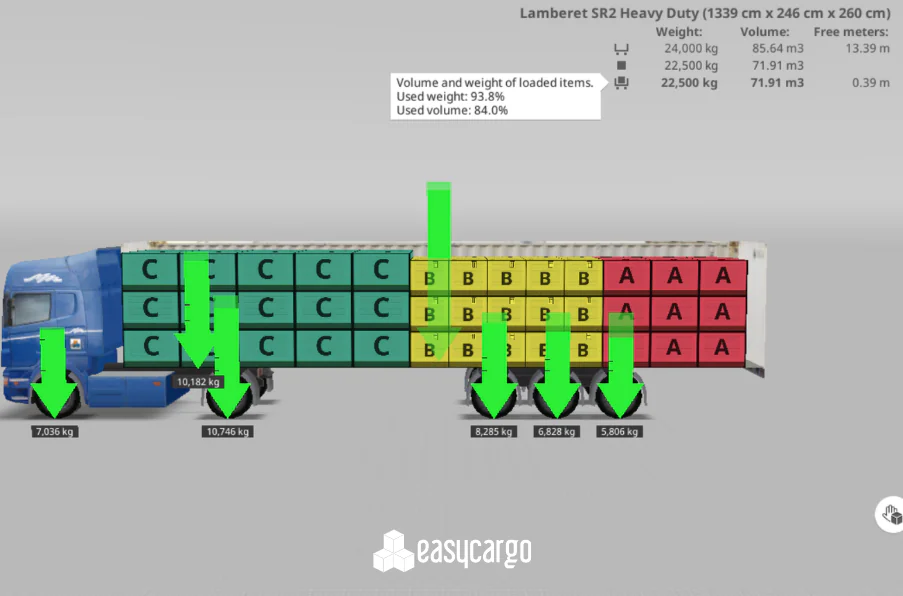
A complete load weight calculator — with actual load visibility
Most load weight calculators only add up numbers. A professional load weight calculator goes further—EasyCargo shows you the whole picture.
- Enter multiple item types with unique dimensions and weights
- Apply constraints like “do not rotate,” “do not stack,” or “do not tilt”
- Organize items into groups or multi-stop shipments
- Click Load to instantly calculate the total weight and see the plan in 3D
- View where each box sits and how the load affects stability
You can also switch between different cargo spaces, click the Load button again, and instantly see how your cargo fits in the new truck or container.
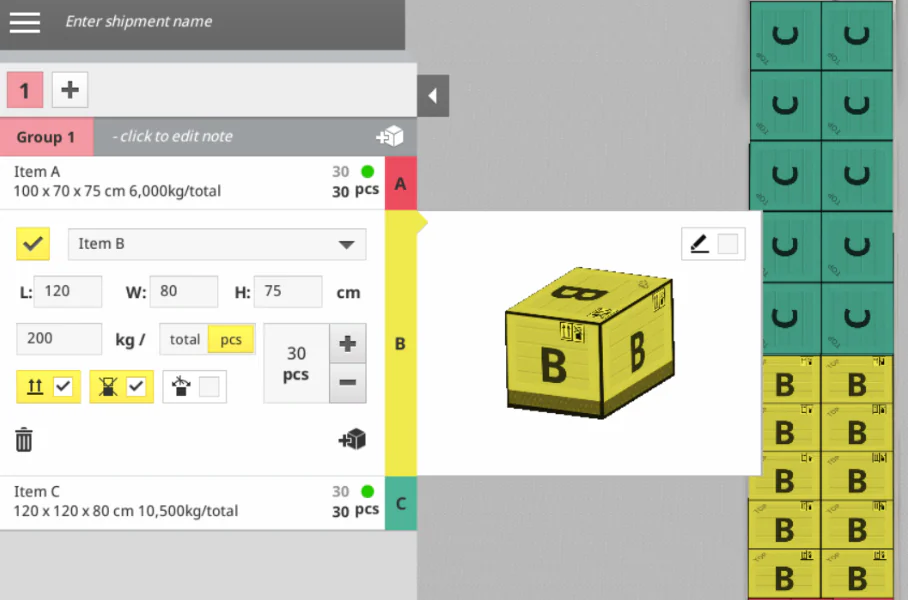
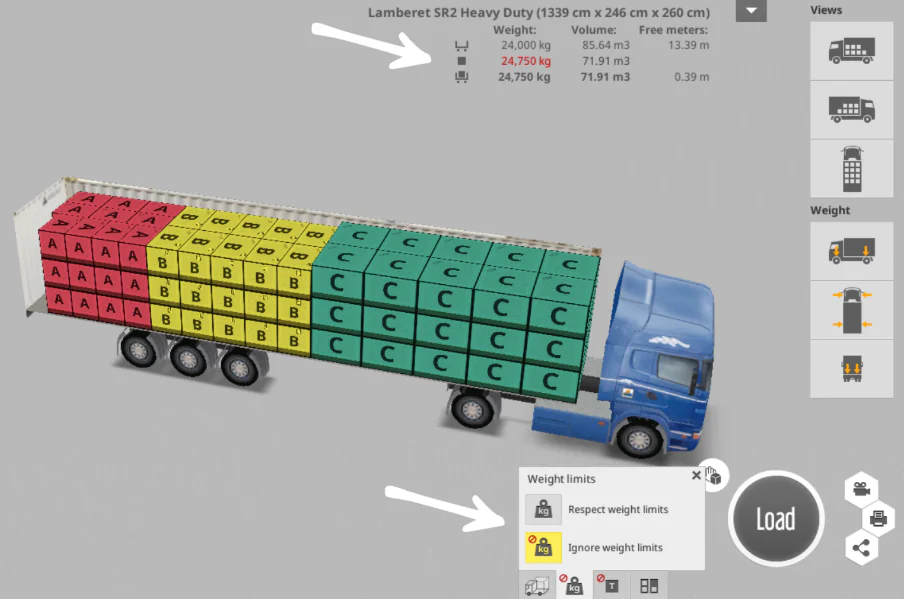
Visualize safe and unsafe loading condition
EasyCargo’s built-in load weight calculator helps you understand not just a load’s total weight, but what that weight means for loading.
Accurate load weight calculation helps you stay compliant, avoid overweight fines, reduce empty space, and lower shipping costs.
- Weight limits are clearly shown
- Exceeding limits displays red warnings
- Safe load capacity is calculated automatically
- Axle weights help you avoid tipping and imbalance
- You can compare “safe load” vs. “full load”
If you choose to load the vehicle regardless of weight limits, EasyCargo will show:
- How much the weight limit is exceeded
- How much volume is exceeded
This option is useful when testing:
- Internal warehouse-only loads
- “What-if” scenarios
- Cost optimization comparisons
- Maximum theoretical capacity



EasyCargo in Numbers
2,500+
companies worldwide
rely on EasyCargo to plan accurate and compliant loads
100%
real-time validation
of weight limits, volume, and axle load distribution
360°
load visibility
with clear insight into weight, balance, and how each item fits
Trusted by Companies Worldwide