US Trucks in EasyCargo
Planning loads for the North American market just got a lot more realistic. We’ve added a new set of US trucks to EasyCargo, so you can finally plan loads with trucks that match real American fleets—no more generic trucks in your load plans. Instead, you can work with familiar US configurations and see exactly how your shipment looks before it hits the road.
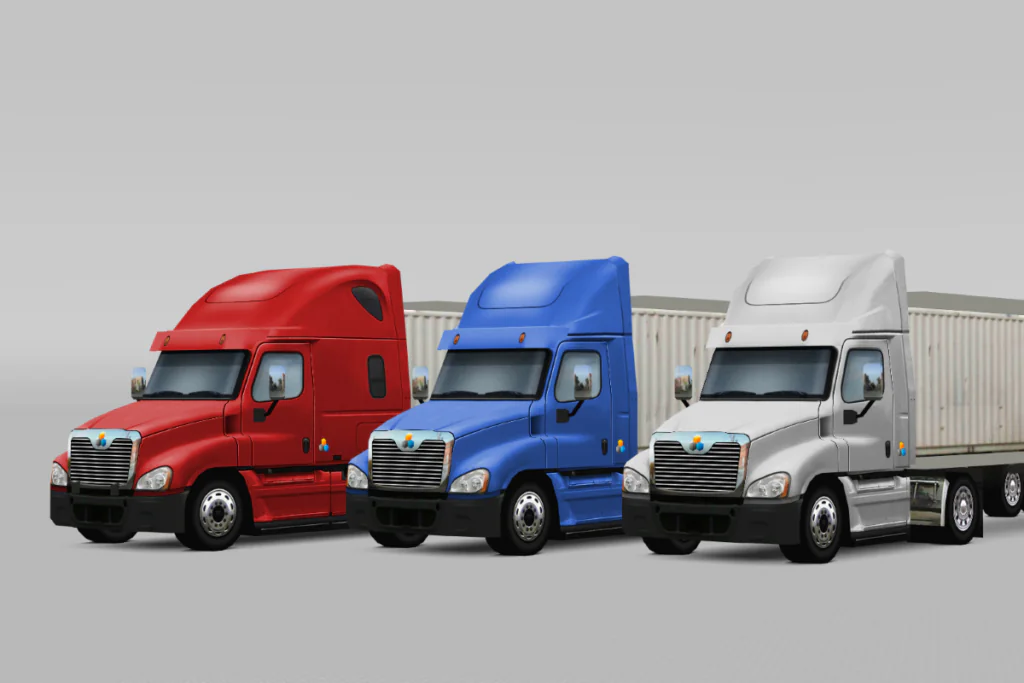
Day Cabs and Sleeper Cabs
EasyCargo now includes newly added US trucks based on the most widely used configurations in North America. From 2 or 3-axle Day Cabs to 3-axle Sleeper Cabs, we’ve included the most popular models based on Volvo, Peterbilt, Kenworth, and Freightliner.
These are completely new trucks that expand the existing EasyCargo library, giving you more realistic options when planning shipments.
This update is especially useful for:
- US-based customers
- Logistics companies operating within North America
- Anyone working with US-type trucks
All users can access these new trucks directly in EasyCargo.
Why US trucks make a difference
Using the correct truck configuration matters more than it might seem.
When your load plan is based on a truck that closely matches the one used in actual operations, everything becomes more accurate. Cargo placement, axle loads, and overall balance reflect what actually happens during loading and transport.
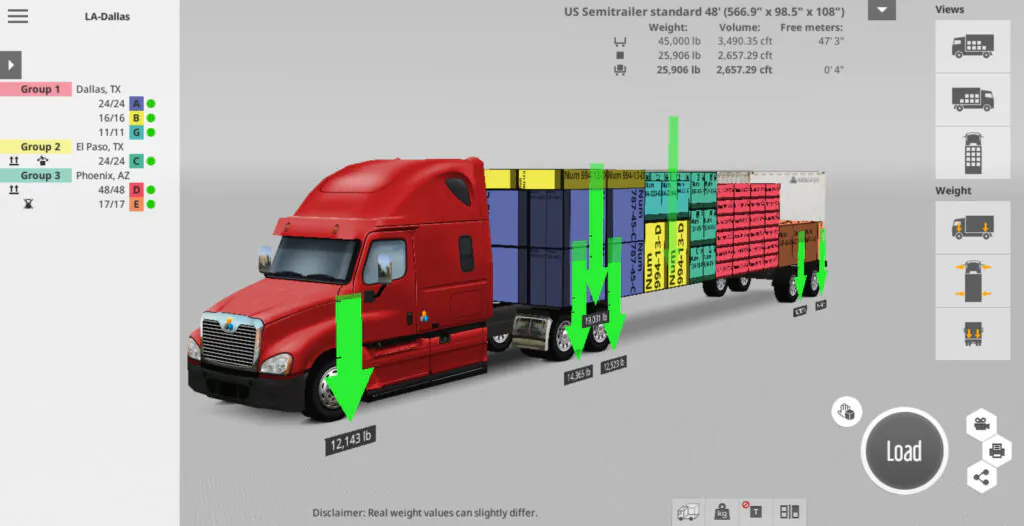
Key benefits of US trucks in EasyCargo:
- More accurate load planning
- Better alignment with real US truck fleets
- Clearer axle load and weight distribution previews
- A more realistic 3D visualization of the entire load
Instead of adapting your plan to a generic setup, you can now work with truck configurations that match how your shipments are actually handled.
How to plan loads with US trucks
Working with US trucks in EasyCargo is simple.
Start by selecting the trailer. We recommend choosing the US standard trailer available in EasyCargo. Once the trailer is selected, you can choose the US truck configuration you want to work with.
From there, you can:
- Switch between different truck types
- Load your cargo and immediately see how it fits
- Check how the weight is distributed across axles
💡If you plan to use trucks for weight verification, always make sure the limits match the specific vehicle that you are actually using in a real-world application, and the regulations of the states you will be driving through!
Customize trucks to match your fleet
Every fleet is a little different, and EasyCargo reflects that.
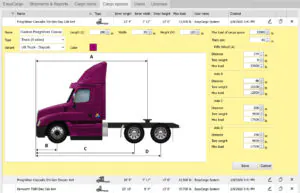
In the Cargo spaces section, you can open any truck and adjust it to better match the truck you actually use. You can fine-tune key parameters such as dimensions, axle positioning, weight limits, or even the color, so your load plans reflect your setup as closely as possible.
US trucks are now available. Try them yourself
The US truck update is already live and available to all users.
You can find the new trucks directly in the app and start using them in your load plans right away. If you work with the same truck regularly, you can also add it to your favorites for quicker access.
With US trucks now available in EasyCargo, load planning for North America becomes more accurate and much closer to real-world application. Log in or register, try the new trucks, and see the difference for yourself.