
EasyCargo Load Plans: Public Links, PDFs, Excel & Step-by-Step Reports
In the modern world of logistics, efficiency isn’t just about how much cargo you can fit into a container but also about how clearly you communicate that plan to your team. A loading plan is only useful if everyone involved can understand and follow it. Warehouse staff, drivers, customers, and colleagues often need different ways to access the same information.
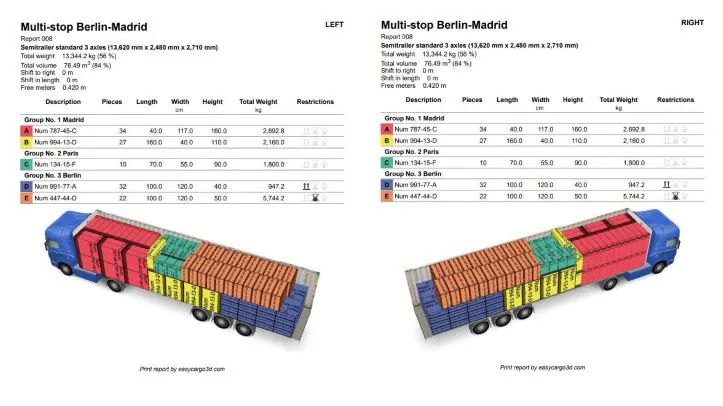
EasyCargo offers several ways to present and distribute loading plans. You can share an interactive 3D view through a public link, generate PDF documentation, create step-by-step loading instructions, and exchange data through Excel and API integration.
In this guide, we’ll show you how to use each option and when it makes sense to choose one over another.
How to Share Loading Plans Online via Public Link
Sometimes you need to show a loading plan to someone who doesn’t have access to EasyCargo. Instead of sending screenshots or large files, you can simply share a public link.
Anyone with the link can open the load plan in a web browser and view the loading layout in 3D. They can rotate the cargo space, zoom in on individual items, and review the loading arrangement from different angles. They can also see the weight distribution. If needed, they can download the whole plan for further processing – either to print it, export it to PDF, or to Excel.
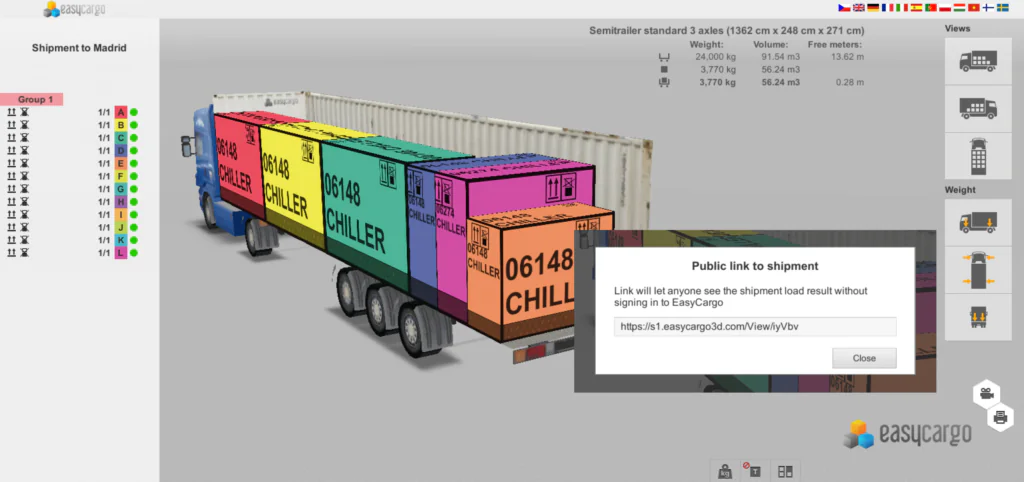
Public links are useful when sharing plans with customers, warehouse teams, or external partners who need to review the loading result.
💡TIP: You can also open public links in the EasyCargo tablet app for Android and iPad.
Exporting PDF Loading Reports
PDF reports provide a clear record of the final loading plan and are often used for documentation, communication, and printing.
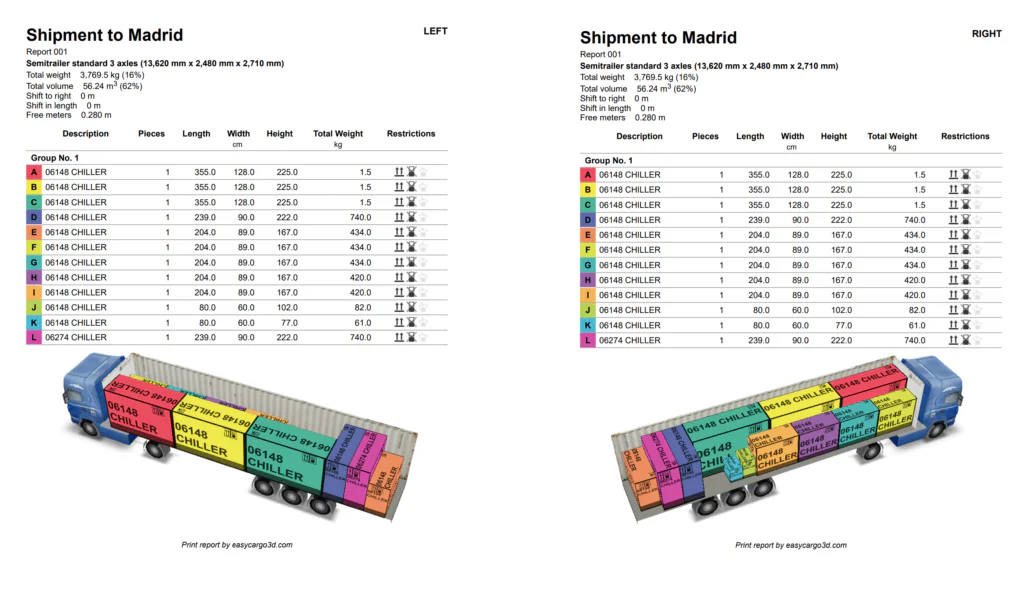
What does a PDF report include?
- Cargo Summary: Instantly see the total weight, total volume, and percentage of space utilized.
- Detailed Item List: A full table showing the description, quantity, and dimensions for every item.
- Weight & Groups: Weight for each item type and its group to ensure the correct loading sequence.
- Loading Restrictions: Visual icons that explain exactly how to handle items.
- Custom Views: Choose the 3D angle that best shows your loading arrangement.
Creating Step-by-Step Loading Instructions
A finished load plan shows the final result. A step-by-step report shows how to get there.
This feature breaks the loading process into individual steps so warehouse staff can see exactly which items should be loaded and in what order.
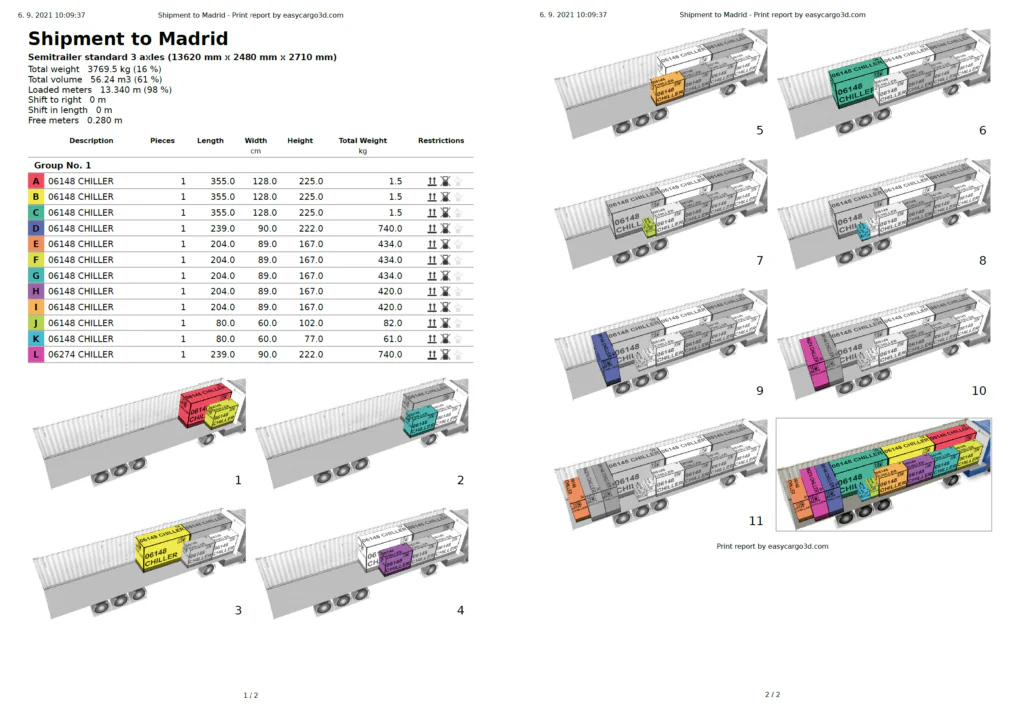
Benefits of using the Step-by-Step report:
- Sequence Control: You see exactly which items go in first and which go in last.
- Save Training Time: New employees can quickly understand the loading sequence by following the visual instructions.
- Reduce Damage: Goods placed in the correct position with proper stacking rules minimize the risk of crushing or breakage.
Creating Excel Loading Reports
EasyCargo allows you to import cargo lists from Excel, calculate the loading plan, and export the results back for further processing or record keeping.
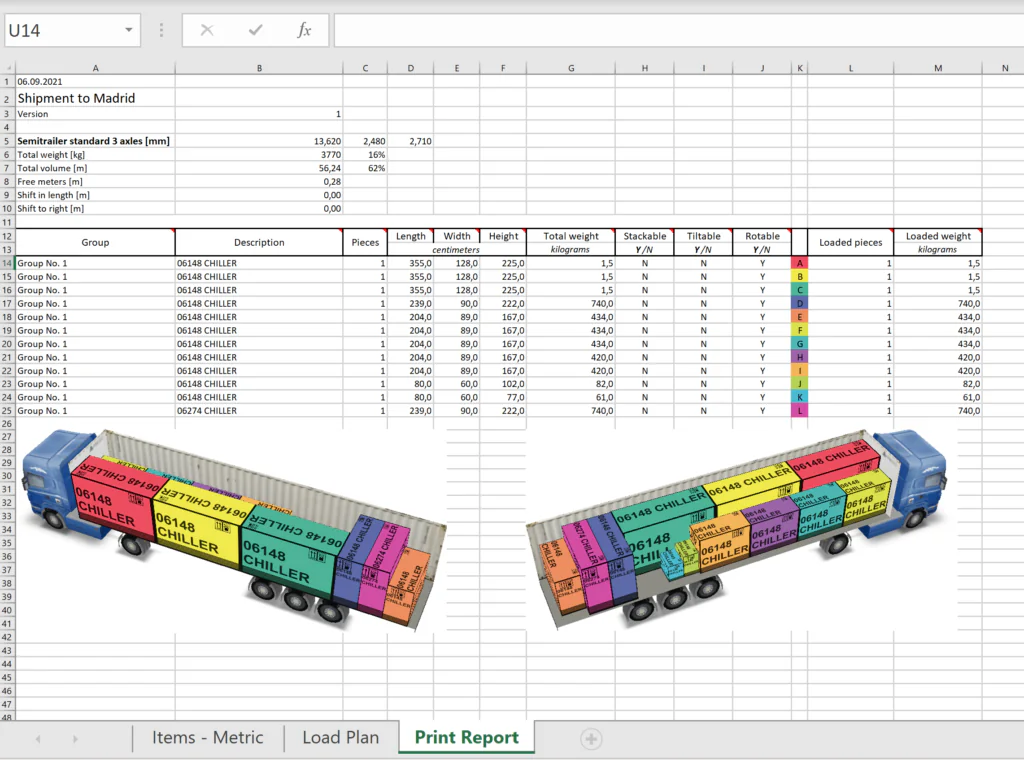
This is often the fastest option for companies that manage orders and shipments using spreadsheets.
Connecting EasyCargo Through API
For companies that work with ERP, TMS, or WMS systems, EasyCargo offers API integration.
The API allows cargo data to be transferred automatically between these systems and EasyCargo, reducing manual work and eliminating duplicate data entry. It can also provide access to generated shipment reports and loading results.
API is particularly useful for companies that create large numbers of load plans and want to automate their processes.
Personalize Reports with Your Company Logo
You can add your company logo to EasyCargo reports to make the documents immediately recognizable to customers, partners, and colleagues.
The logo appears in generated reports and helps keep your reports consistent with the rest of your company documents.
To Sum Up
Different situations require different ways of sharing loading information.
A public link is ideal for quick online sharing. PDF reports are useful for documentation and communication. Step-by-step instructions help warehouse teams load cargo correctly, while an Excel report is great for further processing. Finally, API integrations simplify data exchange.
By choosing the right format for each situation, you can share loading information more efficiently and help everyone work with the same plan.